
The best chrome extensions for freelancers are often the small tools that make the biggest difference. As freelancers, we switch between tasks, tabs, clients, and deadlines every single day. Without the right tools, we end up wasting valuable hours on manual work, context switching, or searching for lost information. Chrome extensions can simplify all of that — and turn your browser into a productivity engine.
Whether you’re looking to boost focus, organize your tasks, or enhance your productivity chrome extensions setup, the Chrome Web Store is full of tools that can make freelancing smoother and more efficient. In this guide, I share the extensions I personally use as a freelancer — tools that helped me save time, stay organized, and manage client work with clarity and confidence.
Why Freelancers Need Chrome Extensions
As a freelancer, I learned early that juggling deadlines, managing multiple clients, and trying to stay focused for hours can turn any workday into chaos. That’s when I started exploring tools for freelancers that could actually simplify my workflow. What surprised me was how many of these solutions were already inside my browser—hidden in powerful chrome extensions for work that instantly transformed the way I get things done.
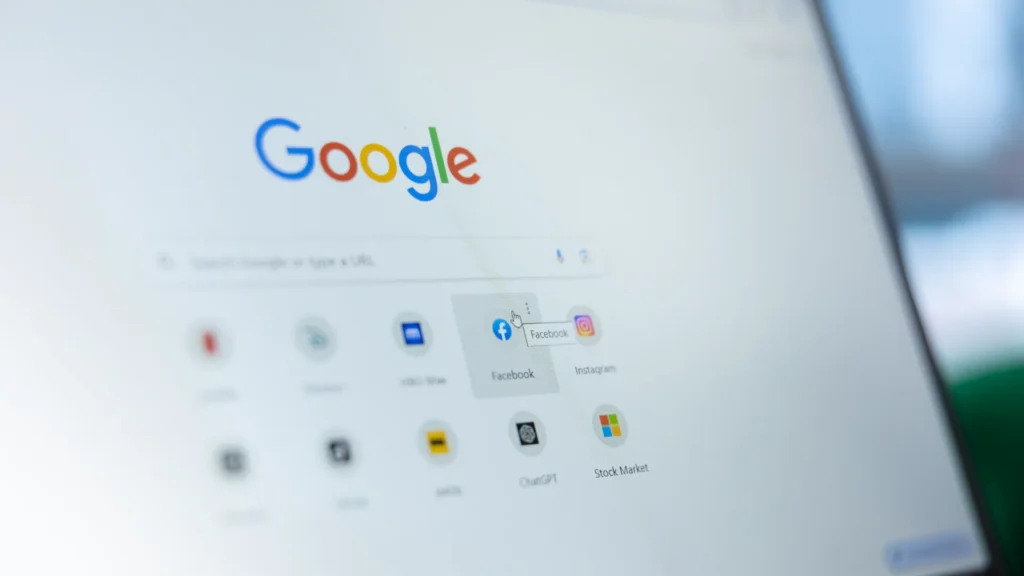
Once I started using the right extensions, everything changed. Writing became cleaner, tracking tasks felt effortless, and distractions finally stopped stealing my focus. These chrome extensions for work are more than simple add-ons—they’re practical tools that help freelancers work smarter, finish faster, and stay ahead in a competitive market.
Best Chrome Extensions for Freelancers 2025
Selecting the right tools can make a significant impact on your daily freelancing workflow. Among hundreds of available Chrome add-ons, only a few truly stand out for their usefulness and simplicity. In this section, we highlight the top Chrome extensions for freelancers in 2025—extensions that help you write professionally, track your time clearly, stay focused, and share your work effortlessly with clients.
Grammarly – Write Without Mistakes
Every freelancer needs to write clearly—whether it’s preparing articles, sending client proposals, or writing professional emails. This is where Grammarly shines. As one of the most powerful Chrome extensions for freelancers, Grammarly automatically corrects spelling and grammar mistakes as you type.
The extension also offers suggestions to improve clarity, tone, and writing style, helping you sound more professional and confident. For freelancers working with international clients, Grammarly is an essential tool to ensure flawless communication.
Practical benefit for freelancers: With Grammarly, your proposals, emails, and published content become more polished, helping you build a stronger professional image and increasing your chances of winning projects.
Toggl Track – Track Time & Projects
Time management is one of the biggest challenges freelancers face—especially when juggling multiple clients. Toggl Track is one of the top freelancer Chrome extensions for accurately tracking hours spent on each task.
The extension allows both manual and automatic time tracking, showing you exactly how your day is spent. You can also create detailed reports to share with clients or use them to optimize your workflow.
Practical benefit for freelancers: Toggl Track helps you bill accurately, understand your productivity patterns, and build trust with clients through transparent time reports.
StayFocusd – Reduce Distractions
Freelancing offers flexibility, but it also makes it incredibly easy to get distracted by social media, news websites, or entertainment platforms. StayFocusd is one of the most valuable Chrome extensions for freelancers who struggle with staying focused.
This extension helps you block time-wasting websites or limit daily usage. Once your allowed time runs out, the sites are automatically blocked, allowing you to concentrate fully on your work.
Practical benefit for freelancers: Using StayFocusd lets you complete tasks faster, reduce procrastination, and deliver higher-quality work in less time.
Clockify – Free Time Tracking with Reports
If you’re searching for a free yet powerful time-tracking tool, Clockify is one of the best Chrome extensions for freelancers. It helps you monitor hours for each task or project while generating detailed reports.

Clockify is especially useful for freelancers handling multiple clients at once, as it allows you to organize hours clearly and sync data across devices.
Practical benefit for freelancers: Clockify provides clear time reports you can share with clients—enhancing transparency and helping you maintain a healthy work-life balance.
Clockify – Advanced Tracking & Detailed Insights
Another highlight of Clockify is its ability to categorize tasks, track billable hours, and store project data—all inside your browser. It’s one of the best Chrome extensions for freelancers who want total visibility over their workload.

Practical benefit for freelancers: Clockify helps you stay accountable, improve billing accuracy, and understand your performance over time.
How to Choose the Best Chrome Extensions for Freelancers
After years of trial, error, and dozens of cluttered browser tabs, I finally realized that choosing the right tools for freelancers starts with understanding how you actually work each day. Not every extension will fit your workflow, and that’s exactly why the right choices can feel life-changing. Some time-saving chrome extensions clean up your writing in seconds, others track every billable minute, and some simply block distractions before they steal your focus.
Start by identifying the gaps in your day. If polished writing matters, Grammarly becomes your silent partner. If managing hours is your struggle, Toggl Track or Clockify will rescue your schedule. Need to protect your focus? StayFocusd does it better than any self-control trick. And when clarity is key, Loom helps you communicate faster than typing long explanations. Just remember—more extensions don’t mean more productivity. Choose the ones that genuinely support your workflow and let the rest go.
| Extension Name | Main Purpose | Download Link |
|---|---|---|
| Grammarly | Correct grammar & improve writing | Download |
| Toggl Track | Time tracking with detailed reports | Download |
| StayFocusd | Reduce distractions by blocking sites | Download |
| Clockify | Track time & create reports | Download |
| Loom | Record your screen & share videos | Download |
Why Time Management Matters for Freelancers
Time management is one of the most crucial skills for freelancers. While freelancing offers freedom and flexibility, it also requires discipline and structure. Without proper planning or tools to monitor your hours, you may waste time on low-priority tasks while delaying essential client work.
Using time-management tools such as the best Chrome extensions for freelancers helps you understand exactly where your time goes each day. This allows you to prioritize better, deliver projects on schedule, and maintain a balanced workflow across multiple clients.
The Importance of Minimizing Distractions
One of the biggest challenges freelancers face is staying focused. Notifications, social media, and entertainment websites can easily consume hours without you noticing. Since your income directly depends on your productivity, avoiding these distractions is essential for success.
This is where tools like StayFocusd become incredibly valuable. By limiting or blocking distracting websites, you can stay fully committed to your work, improve output quality, and free up additional time for personal tasks or skill development.
Why Effective Client Communication Matters
Clear communication is fundamental for freelance success. Miscommunication often leads to misunderstandings, delays, or unnecessary revisions. While text messages may work for simple notes, they are not always enough when explaining complex ideas.
Using visual tools like Loom helps you communicate ideas more clearly. Recording your screen with voice explanations saves time, reduces misunderstandings, and improves collaboration with clients. It also demonstrates professionalism and attention to detail.
Conclusion
Freelancing gives you freedom, but it also requires discipline and the right tools to stay productive. The best Chrome extensions for freelancers—such as Grammarly, Toggl Track, StayFocusd, Clockify, and Loom—can significantly improve your workflow, reduce distractions, and strengthen communication with clients.
Start experimenting with the extensions that match your daily tasks, and integrate them into your routine. You’ll soon discover how small tools can create big improvements in your freelancing journey.